Note: The following information applies to the IS945.x tablet with Windows on ARM. .
To follow these instructions, you must first have created a USB recovery drive using our guide.
You only will be able to do recovery with the original i.safe MOBILE image and not with your own Windows version.
IMPORTANT: Use the pen drive directly at the USB Port of the IS945.x. Don't use USB Hubs or Dockingstation for this action.
Start the recovery
 | Charge the device to at least to 90% |
| Turn off the device |
| Press and hold Vol+ and power button up to the BDS Menu appears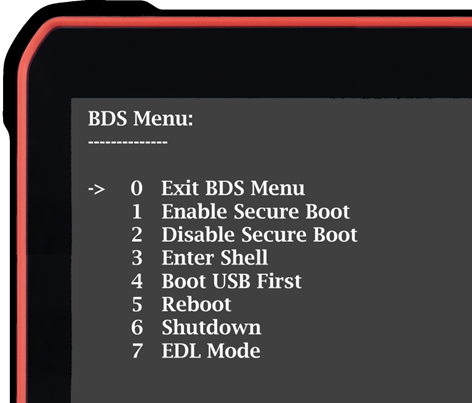 |
| Use the Vol+ button to reach Point 4 Boot USB First and confirm with the power button |
| Press Vol+ button to Enable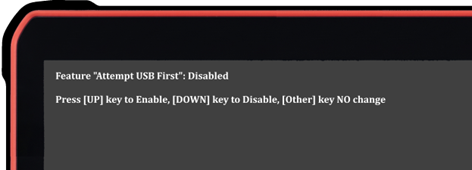 |
| Insert the prepared USB Pen Drive |
| Press Vol+ Button |
| Select with Vol+ button the option Reboot and confirm with the power button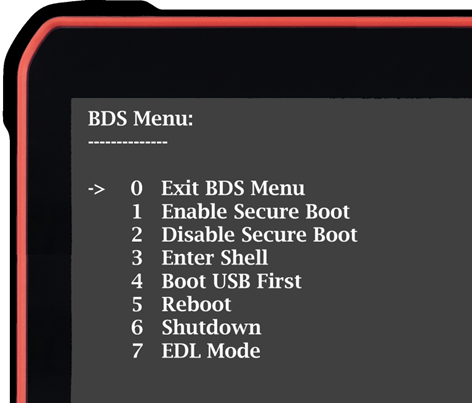 |
| The Following screen will appear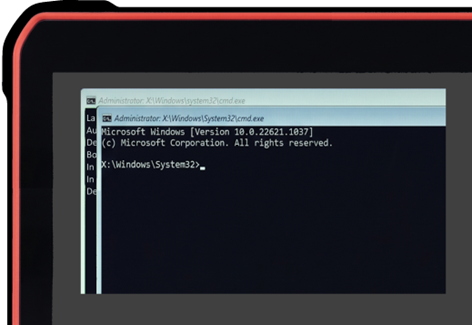 |
| As soon as the window in background gets green you can take out the USB Pen Drive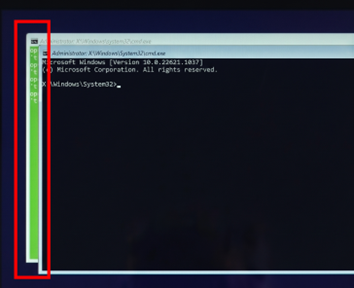 |
 | The device will reboot and start with Windows OOBE (Out-of-Box-Experience) |
If you did not create the Pen Drive up to now, please have a look to the following instruction
How to create a recovery media for IS945 with Windows on ARM